
Verdant Ledger
Invoices sat in email. Budgets sat in sheets. Nobody had a current number until close.
- Client
- Construction & tradesWithheld by agreement
- Year
- 2024
- Role
- Product, design & engineering
- Type
- Systems
- Approach
- Document AI · Retrieval · Web app
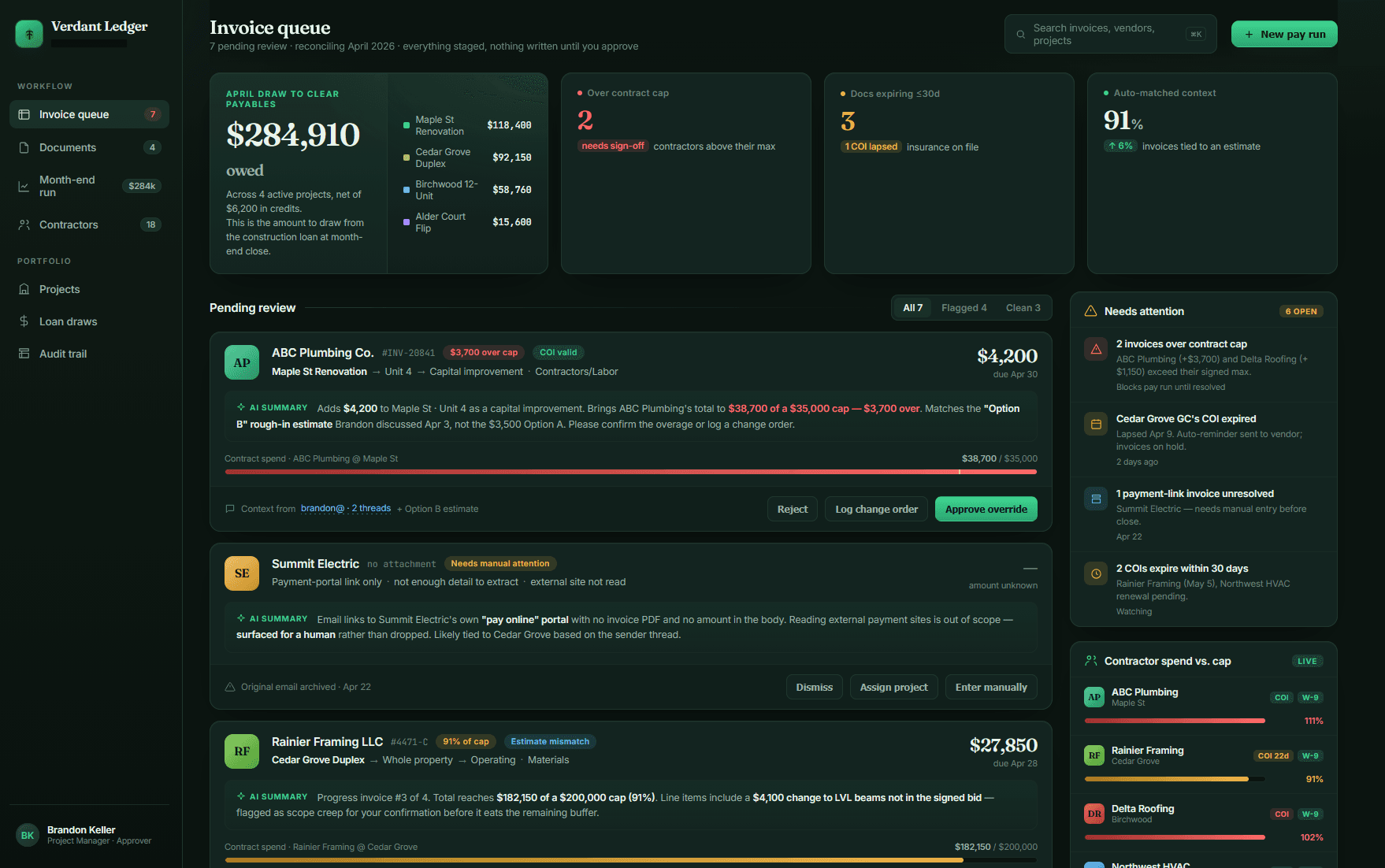
All company names, contractor names, projects, invoice numbers, and dollar figures shown here have been replaced with fictional placeholder data. Nothing on this screen is real or confidential.
Where it started
Spend lived in spreadsheets and inboxes. Invoices arrived as PDFs, photos, and forwards. Someone typed them. The name on the invoice was rarely the name in the sheet. The same vendor showed up three ways. Jobs overlapped and nobody had a live number. You found out you were over at month-end, when the only thing left to do was explain it.
What was hard
Reading a document is easy. Putting it on the right job is not. The file might mention a site, a foreman, a PO, or nothing you can use. A model with no memory of this company will still produce a code that looks fine. Wrong coding is worse than a backlog: the budget looks healthy until it is not. We had to search their own vendors, jobs, and past lines first, classify against that, and leave an obvious mismatch sitting as a problem instead of writing it down like it belonged.
What we built
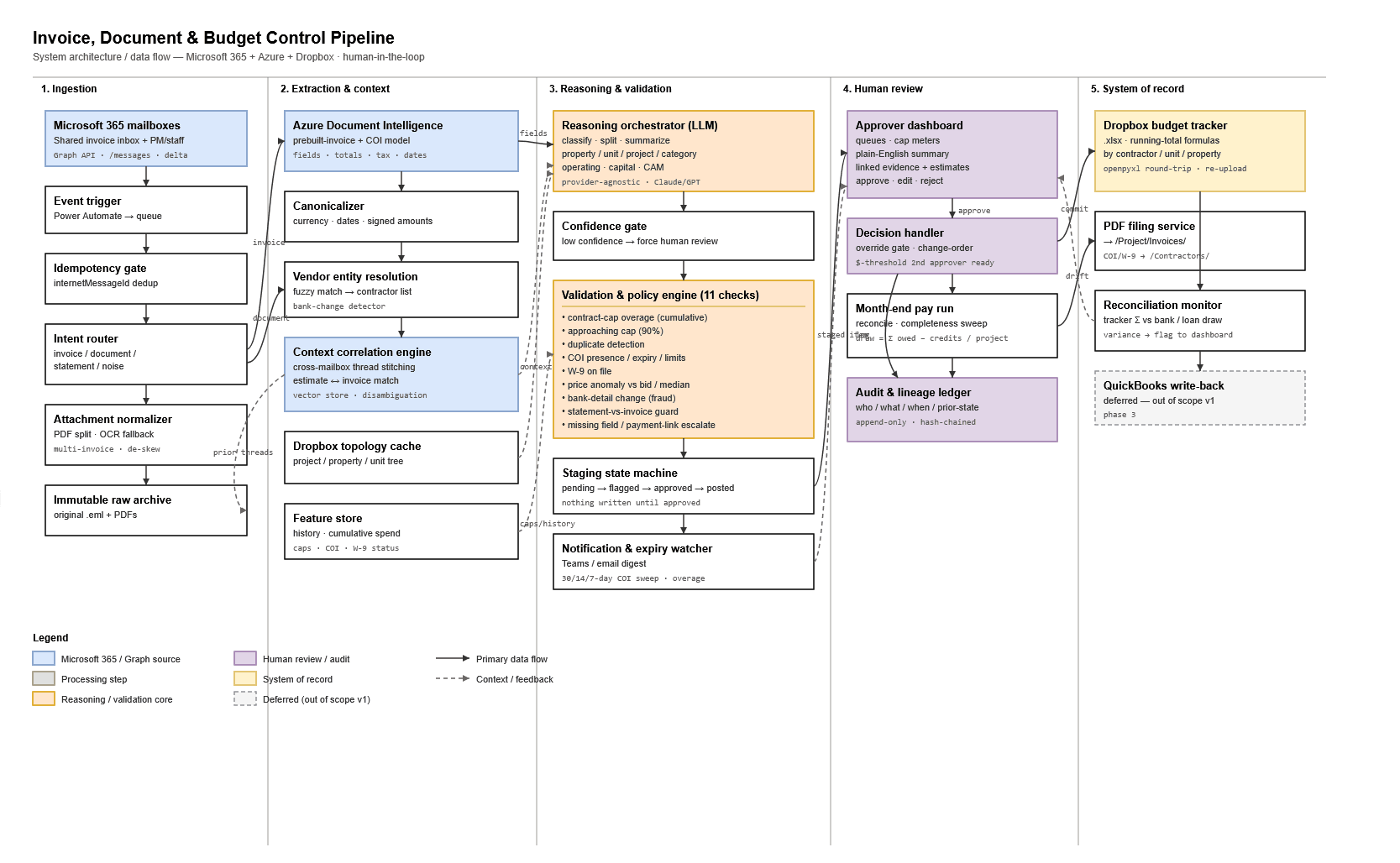
Mailboxes and document drops feed the system. It reads the file, pulls the closest jobs and vendors from their history, and files a structured line: vendor, job, category, amount. Operators see spend and remaining by job without building a sheet. When a job blows a cap, a duplicate comes in, or a line does not match the job it landed on, it says so while the job is still open.
What changed
About eight in ten invoices file themselves without anyone touching them. Of those, roughly 3% get re-coded by a person later, and that number is the one we watch, because it counts the times the system was confidently wrong. Anything under the confidence bar waits in a morning queue that takes an operator about fifteen minutes. Each job has a current number. Overruns and junk data show up as alerts, not as a surprise in close. The spreadsheets that remain are exports.
Scope
- Current spend and remaining by job
- Intake from email and document drops
- Classification against their jobs and vendors
- Flags for overruns, duplicates, and bad coding
- Searchable history
- Close views without rebuilding a workbook